Reporting
Reports that explain themselves
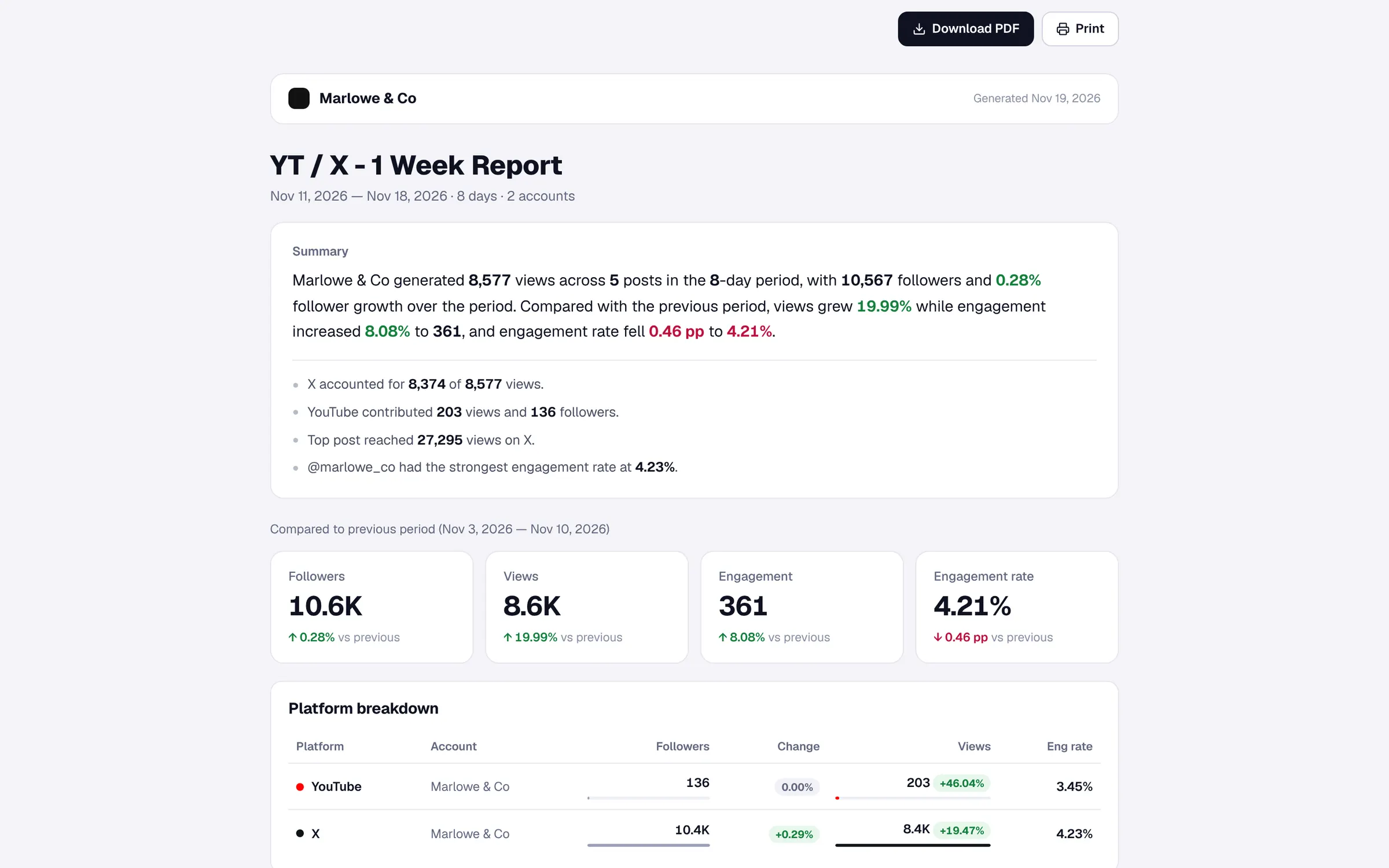
Branded reports with an AI summary, as a link or PDF.
Reports, scheduled reports and share links are included with every account, with your branding on every page.
Everything a good report needs
- AI summary
- Period comparison
- Platform breakdown
- Live share links
- PDF download
- Scheduled delivery
01 · AI summary
The first paragraph does the explaining
- Written from the report's own numbers
- Highlights growth and drops honestly
- Bullets on the biggest contributors
- Marlowe & Co · Monthly Monthly, on the 1stpriya@marlowe.co, daniel@marlowe.coNext Jun 1
- Leadership snapshot Weekly, on Mondaysteam@marlowe.coNext May 18
- Paid + organic recap Monthly, on the 1stgrowth@marlowe.coNext Jun 1
02 · Scheduled reports
Reports that send themselves
- Weekly or monthly
- Several recipients per report
- Branded email delivery
03 · Share
A link instead of an attachment
- Responsive report page
- PDF from the same page
- Your logo, colour and footer
A finished report in 3 steps
Choose the scope
Title, date range and the accounts to include. The previous period is compared for you.
Generate
HeyOrbit pulls the numbers and writes a summary with every figure highlighted.
Share or schedule
Copy the link, download the PDF, or have it emailed weekly or monthly.
Platform support
Works across all 10 platforms
- X
- TikTok
- YouTube
- Threads
- Bluesky
- Google Business
Reporting: common questions
Are reports extra?
Who are reports for?
Can I choose which accounts appear?
How do I get a PDF?
How often can reports be scheduled?
Is the report branded?
Reporting in depth
What Reporting does
Pick the accounts and dates, and HeyOrbit builds the report: an AI summary up top, the numbers that moved, a platform breakdown and the posts that worked. Share a link, download a PDF, or schedule it.
- AI summary: A plain-language paragraph on what happened, with the numbers highlighted.
- Period comparison: Every KPI against the previous period, with the change shown.
- Platform breakdown: Followers, views and engagement per account in one table.
- Live share links: A fast, responsive report page you can send instead of a file.
- PDF download: Print-ready PDF from the same page.
- Scheduled delivery: Weekly on Mondays or monthly on the 1st, straight to the inbox of a client, a manager or leadership.
AI summary: how it works
Busy readers rarely read tables. The summary at the top says what happened in plain language, with each number highlighted so it can be checked against the data below.
Scheduled reports: how it works
Set the accounts, recipients and cadence once. Every Monday or every 1st of the month, a fresh report is generated and emailed in your branding.
Share: how it works
Every report has a share link that opens a clean report page on any device, with a Download PDF button for people who still want a file.
Why social reporting takes so long, and how to fix it
Monthly reporting usually means exporting from each platform, pasting into slides and writing a paragraph that explains it all. Across several brands, clients or regions, that's days of work every month.
HeyOrbit already has the data, so the report is a matter of choosing the accounts and dates. The summary is written for you, and scheduled reports remove the monthly task altogether.
Reports people actually read
A good report answers three questions quickly: did it go well, why, and what's next. The AI summary handles the first two in a paragraph, with every number highlighted so nothing is hand-waved.
The tables and charts below are there for the people who want to dig in.
Your brand on every page
Reports are the part of your work that gets forwarded: a client sends it to their boss, a manager takes it to leadership. They carry your logo, your colour and your name in the footer, not ours.
Pair reporting with white label and approvals to give everyone who signs off a complete, branded view of the work.
Works hand in hand with
All featuresMonthly reports, off your plate.
Generate a branded report with an AI summary in a few clicks. Included with every account.
Prefer to talk first? Book a call with our team
- Unlimited team members
- 10 platforms
- Start free, pay per account