Approval workflows
Nothing goes live without a yes
Nothing publishes until the right people say yes.
Approvals, multi-step flows and reviewer logins are included with every account.
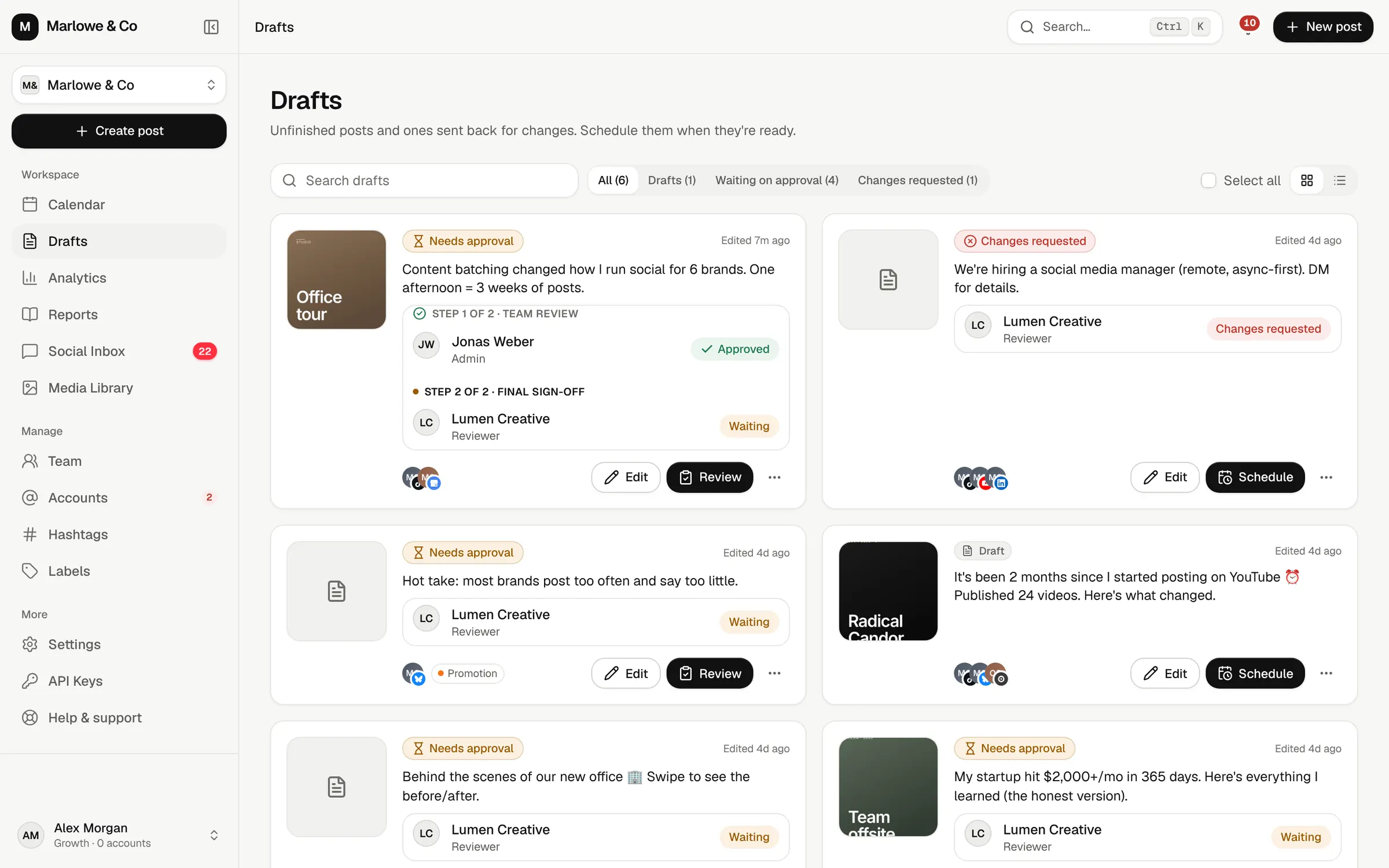
Approvals that nobody has to chase
- One approver or several steps
- No self-approval
- Reasons on rejection
- Held until approved
- In-app and email alerts
- "Waiting on" view
01 · Request
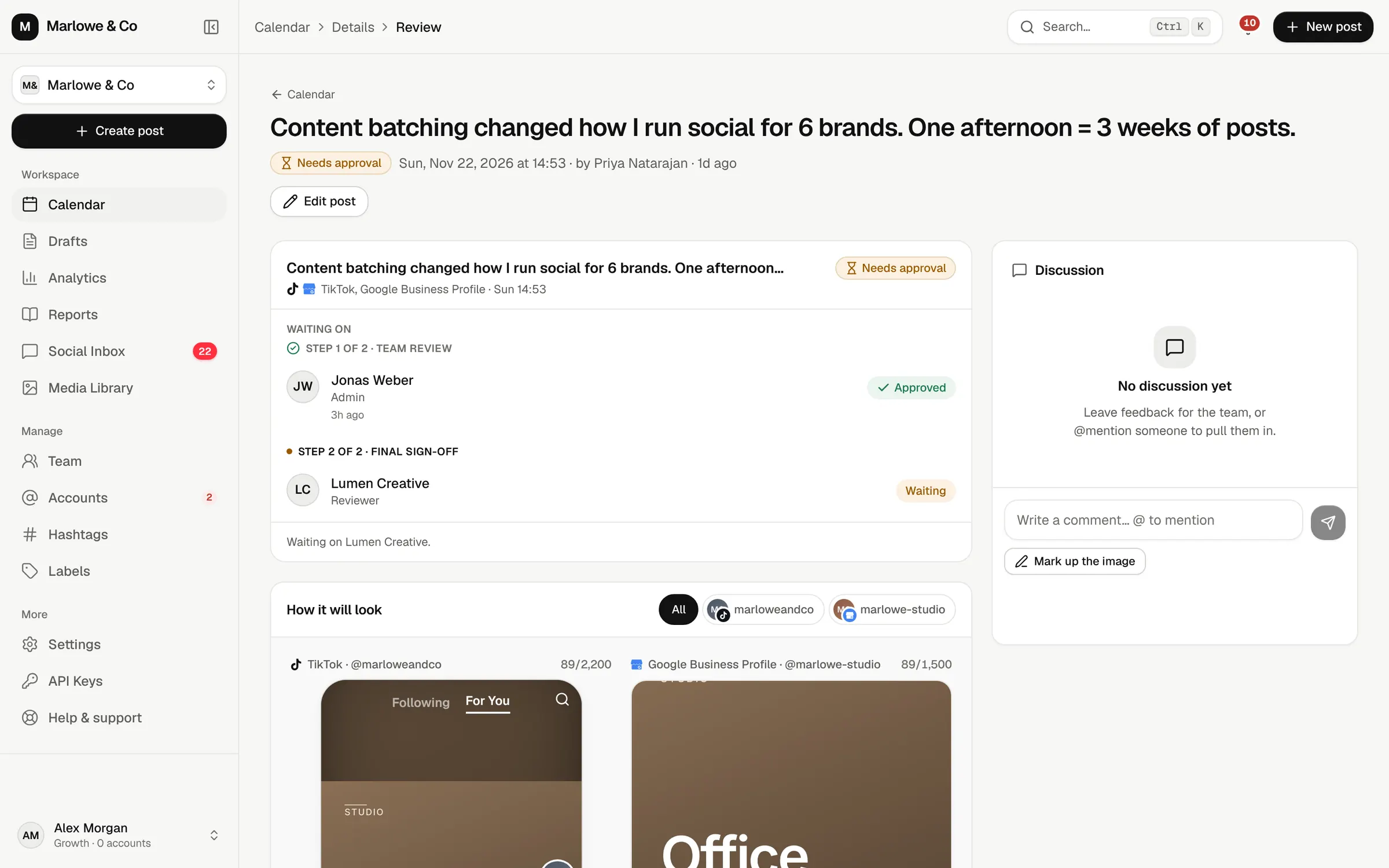
Approvers see exactly what will publish
- Platform previews for every selected account
- Approve, or reject with a required reason
- Comments and discussion on the post
- Priya Natarajan approved “Linen Series restock” 2 min ago
- Kofi Mensah mentioned you on “Spring launch”: can we swap the cover shot? 18 min ago
- Ines Moreau assigned you a comment from @lena.builds 1h ago
- “Spring launch” is waiting for your approval Yesterday
02 · Status
Always know what's waiting on whom
- Per-approver status
- Filter for posts waiting on someone
- Visible on the calendar and in drafts
- Sam Whitfieldsam@northstarsocial.comOwner
- Ines Moreauines@northstarsocial.comAdmin
- Kofi Mensahkofi@northstarsocial.comEditor
- Priya Natarajanpriya@marlowe.coReviewer
- Leo Brandtleo@marlowe.coViewer
03 · Reviewers
Anyone who signs off gets their own login
- Reviewer role with a focused review portal
- Approval emails in your branding
- Multi-step approvals, included
Sign-off in 3 steps
Request approval
Flip "Require approval" on the post and pick one approver, or use the workspace's steps.
They review the real post
Approvers see the previews for each platform and approve, or reject with a reason.
It publishes on time
Once everyone has approved, the post goes out at its scheduled time. Not before.
Platform support
Works across all 10 platforms
- X
- TikTok
- YouTube
- Threads
- Bluesky
- Google Business
Approval Workflows: common questions
Can I require approval on every post?
Who can approve posts?
Can approval have several steps?
Can someone approve their own post?
What happens if a post isn't approved in time?
Do approvers get notified?
Approval Workflows in depth
What Approval Workflows does
Get posts approved before they go live: by your team, your manager or your client, in one click. Set one approver or several steps, and HeyOrbit holds each post until it's signed off. Approvers review the real post with platform previews, and a rejection always comes with a reason.
- One approver or several steps: Step 1 · Team review, then Step 2 · Final sign-off, or just one person.
- No self-approval: Authors can never approve their own post. The server enforces it.
- Reasons on rejection: A rejection needs a reason, and it stays on the post for the author.
- Held until approved: A post that still needs sign-off doesn't publish, even at its scheduled time.
- In-app and email alerts: Approvers hear about requests; authors hear about decisions.
- "Waiting on" view: See every post that's waiting, and on whom.
Request: how it works
No screenshots pasted into an email. Approvers open a review page for the post itself, with the preview for each platform, the caption, the media and the scheduled time, and approve or reject from there.
Status: how it works
Every post that needs sign-off shows a "waiting on" card: each approver, their role and whether they've approved, are still waiting or rejected it, and why.
Reviewers: how it works
Invite a manager, legal, leadership or a client with the Reviewer role. They see the workspace, review posts waiting for them and approve or send them back, without being able to publish or change settings. Reviewers are free and unlimited, like the rest of your team.
Why approval workflows matter
A post that goes out with the wrong price, the wrong date or the wrong logo costs more than the time it would have taken to check it. It can cost a launch, a compliance check or a client.
An approval step makes checking routine. The right people see the post before it publishes, and the record shows who said yes.
Approving the real thing
Email-and-screenshot approval breaks the moment someone edits the caption. Approving inside HeyOrbit means the approver sees the actual post, with the actual previews, at the moment they decide.
Rejections come with a reason attached to the post, so the author knows what to fix without a separate thread.
One approver, or a chain of sign-offs
One approver suits a small team that just wants a second pair of eyes.
Steps suit everyone else: a team review, then a manager, legal or the client, each asked only once the step before has passed, in a view that carries your brand.
Works hand in hand with
All featuresShip with everyone's yes.
Add approvals to your workflow and stop chasing sign-off by email. Start free, pay per account.
Prefer to talk first? Book a call with our team
- Unlimited team members
- 10 platforms
- Start free, pay per account